
Consultation Hotline
+1 (302) 618-8777
+1 (302) 618-8777
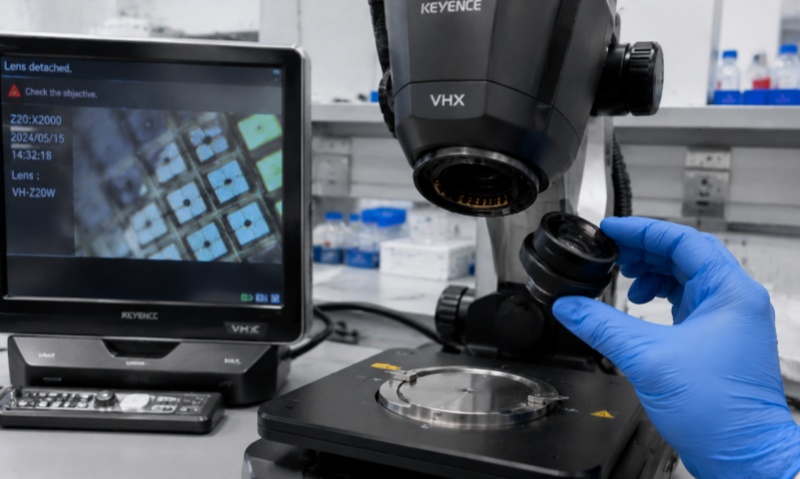
In modern laboratories, video microscopes are widely used for imaging biological, clinical, and industrial samples. Unlike traditional optical microscopy, video microscopes rely on digital sensors and often require high-resolution, stable imaging. One common operational problem that can compromise imaging quality and experimental reliability is the detachment or slipping of specimen slides during observation. This article provides a comprehensive guide to understanding the causes of slide detachment, preventive strategies, and practical solutions for maintaining stable specimen positioning in video microscopy.
Slide detachment in video microscopy can occur due to multiple factors. First, improper mounting is a common cause. If the specimen is not fixed or adhered to the slide properly, it can shift or detach when the stage moves, especially during high-magnification imaging. Second, uneven stage surfaces or worn slide holders can reduce friction and allow slides to slip. Third, environmental factors such as vibrations from nearby equipment, airflow from air conditioning, or accidental contact with the stage can contribute to slide movement. Finally, user handling errors, including over-tilting the stage or insufficiently securing the slide clip, can exacerbate detachment.
Preventing slide detachment begins with proper preparation. Ensure that slides are clean and dry before mounting specimens. Contaminants, such as residual oil, dust, or moisture, reduce friction and compromise adhesion. For biological samples, secure coverslips using suitable mounting media that hardens or increases adhesion to the slide surface.
Stage preparation is equally important. Inspect the slide holder or clip to ensure it is free from wear, corrosion, or debris. Many video microscopes come with adjustable clamps designed to accommodate different slide thicknesses. Properly adjust the clamps to hold the slide firmly without exerting excessive pressure that could damage the specimen.
Environmental control can significantly improve slide stability. Place the video microscope on a vibration-free table or anti-vibration platform, away from high-traffic areas or equipment generating mechanical oscillations. Minimize airflow across the microscope stage to reduce the risk of sliding, particularly when working with lightweight or small slides.
If slide detachment occurs frequently despite preventive measures, additional techniques can be employed. Using double-sided adhesive tape or laboratory-grade mounting putty under the slide edges can provide extra friction and hold. When working with delicate biological specimens, ensure that adhesives or putty do not contact the sample area to avoid contamination.
For repetitive imaging tasks, such as time-lapse studies, consider using specialized slide holders with additional locking mechanisms. Many commercial video microscope accessories include spring-loaded clips or magnetic holders that maintain slide position during extended imaging sessions.
When adjusting the stage, always move slowly and avoid abrupt or diagonal motions that could dislodge the slide. For microscopes equipped with motorized stages, check the speed settings and ensure acceleration and deceleration profiles are optimized to prevent sudden jerks.
If a slide does detach during observation, handle it carefully to prevent specimen loss or damage. Gently remove the slide and inspect both the specimen and the slide surface for contaminants or residue that could have caused slipping. Clean the slide and holder thoroughly before remounting. When remounting, reapply any mounting media if necessary, ensuring even coverage under the coverslip. Re-secure the slide using the stage clip or additional friction aids, and test stability before continuing imaging.
Regular maintenance of both slides and the microscope stage is essential. Inspect the slide holder, clips, and stage surfaces for wear, scratches, or residue accumulation. Replace worn components promptly to maintain consistent friction and alignment. Calibration of the stage, particularly for precision video microscopes with motorized positioning, ensures that slides move smoothly without unintentional displacement.
Proper training and awareness are critical for minimizing slide detachment incidents. Users should be familiar with the specific model of video microscope and its slide-holding mechanism. Standard operating procedures (SOPs) should include instructions on slide cleaning, mounting, stage adjustment, and movement speed. For multi-user laboratories, implementing checklists can ensure that slides are securely mounted and the stage is properly prepared before imaging.
Slide detachment in video microscopy is a common but manageable issue that can affect imaging quality and experimental accuracy. Understanding the causes, implementing preventive measures, employing practical securing techniques, and maintaining both the slides and the microscope are key steps to reduce this problem. By combining careful specimen preparation, proper stage handling, and regular maintenance, laboratory personnel can achieve stable, high-quality imaging and extend the service life of both slides and video microscopy equipment. Addressing slide detachment proactively ensures reliable results, reduces sample waste, and enhances the efficiency of laboratory workflows.