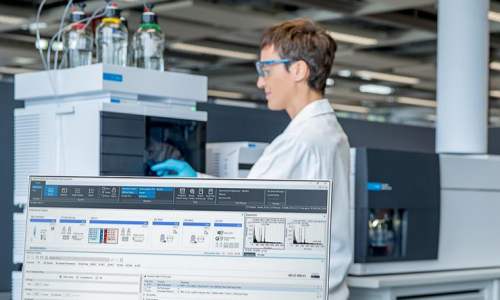
Chromatography workstations are core software and control systems matched with high-performance liquid chromatography and gas chromatography instruments. They undertake parameter setting, data collection, real-time monitoring, peak integration and result analysis throughout the whole experiment. Due to long-term operation, system compatibility problems, incorrect operation and unstable hardware connection, chromatography workstations often encounter various faults that affect experimental progress and data accuracy. This article summarizes eleven typical workstation faults in laboratory daily use, analyzes the causes in detail, and provides standardized troubleshooting and maintenance solutions to guide personnel in efficient equipment operation.
1. Workstation Fails to Start or Crashes on Startup
This fault manifests as program failure to launch, automatic exit or system pop-up error prompts during startup. It is mainly caused by damaged system files, software conflicts, incomplete program installation or incompatible computer system versions. In addition, insufficient computer memory and residual cache occupation will also lead to startup failure. The solution is to close redundant background software, release system memory, restart the computer to eliminate temporary program disorder, and reinstall or repair the workstation program if necessary to ensure complete file integrity.
2. Communication Disconnection Between Software and Instrument
Communication interruption is the most frequent fault, showing offline instrument status and inability to collect data. The main causes include loose data transmission lines, damaged serial ports, incorrect communication port settings and locked instrument background service. Operators should check USB and network cable connections, confirm the consistency of software port parameters and instrument configuration, restart the instrument and workstation communication service, and replace aging data lines to restore normal connection.
3. Real-Time Chromatogram Not Displayed
The workstation runs normally but cannot display real-time spectral curves, which is usually caused by closed data acquisition channels, incorrect detector signal configuration and disabled acquisition functions. It is necessary to check whether the detector is turned on normally, confirm that the workstation acquisition channel is consistent with the actual instrument channel, reopen the real-time monitoring function, and calibrate the signal acquisition parameters to restore chromatogram display.
4. Abnormal Baseline and Irregular Noise Fluctuation
Baseline jitter, drift and irregular noise peaks appear in the collected chromatogram. In addition to instrument hardware pollution and unstable flow path, workstation parameter setting errors are also important causes. Unreasonable sampling frequency, incorrect filtering parameters and uncalibrated baseline offset will lead to poor baseline stability. The solution is to restore the workstation’s default acquisition parameters, adjust the noise filtering threshold, perform baseline blank calibration, and match the sampling frequency with the instrument detection rate.
5. Automatic Peak Integration Failure
The workstation cannot automatically identify chromatographic peaks, misses peaks or integrates incorrectly. This problem results from unreasonable integration parameters, including inappropriate peak width threshold, too high noise threshold and unadjusted slope sensitivity. Users need to reset integration parameters according to peak shape characteristics, lower the noise threshold appropriately for weak peaks, adjust the peak width range, and manually calibrate incomplete integrated peaks to ensure accurate data statistics.
6. Inaccurate Retention Time and Peak Drift
The retention time of the same sample fluctuates greatly in repeated tests. Apart from mobile phase and column factors, workstation time calibration deviation and method parameter confusion will also cause peak drift. It is required to check the workstation system time, uniformly save and call standard detection methods, avoid random parameter modification, and perform standard sample calibration to correct retention time deviation.
7. Data Acquisition Interruption and Sudden Stop
The acquisition process stops suddenly and the data record is incomplete. Common causes include computer system sleep setting, insufficient disk storage, abnormal software authorization and external interference. Operators should turn off the system automatic sleep function, clean up disk space to ensure sufficient storage capacity, check the software authorization status, and avoid running high-load programs during data acquisition.
8. Failure to Save and Export Data
After the experiment, the workstation cannot save original data or export reports. This fault is caused by insufficient folder access permission, damaged storage path, disk read-only state or report template loss. The troubleshooting method is to reset the file storage path, modify folder access permission, restore the standard report template, and avoid storing data in system protected disks.
9. Slow Software Operation and Interface Lag
Long-term operation leads to slow program response, interface stuck and delayed parameter switching. A large number of historical data caches, redundant log files and low computer configuration are the main reasons. Regularly clean workstation running logs and useless historical files, classify and archive experimental data, and close unused functional modules to reduce system load and improve operating fluency.
10. Method File Loss and Parameter Disorder
Saved detection method files are lost or internal parameters are disordered, resulting in inability to call standard methods. It is caused by accidental deletion, abnormal program shutdown and file storage error. Laboratories should back up method files regularly, avoid forced shutdown during software operation, and restore default method parameters through the workstation recovery function to ensure consistent experimental conditions.
11. Printer Connection Failure and Report Printing Error
The workstation cannot recognize the printer or fails to print analysis reports. The causes include incorrect printer driver installation, disconnected network connection and mismatched printing parameters. Users need to reinstall the printer driver, confirm normal network and equipment connection, set the default printing device in the workstation, and preview the report format to avoid printing abnormality.
Conclusion
Most faults of chromatography workstations are derived from irregular operation, parameter mismatch, poor connection and insufficient daily maintenance. Eleven common faults cover software startup, signal communication, data acquisition, peak integration, data storage and report output. Standardized parameter setting, regular file sorting, equipment connection inspection and system maintenance can effectively reduce workstation failure rate. Timely troubleshooting can ensure stable data collection, accurate analysis results and continuous and efficient operation of chromatographic detection work.