
Consultation Hotline
+1 (302) 618-8777
+1 (302) 618-8777
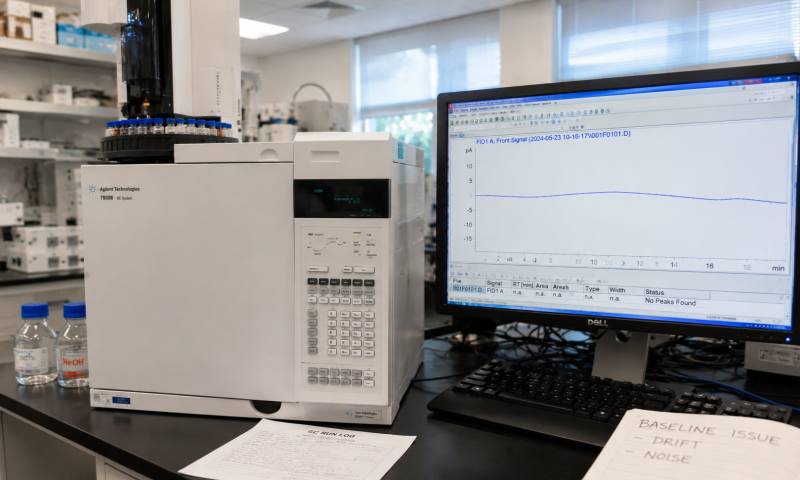
USB temperature data loggers are essential tools in cold chain logistics, pharmaceuticals, and food storage, but they are also prone to frustrating failures at critical moments. When a logger fails to connect or produces corrupted data, the immediate question is whether you can fix it yourself or if professional repair is required.
The short answer is yes, for minor issues; no, for core hardware failures. The majority of user-facing faults are software-related or stem from simple physical connection problems, which can often be resolved without any specialist knowledge.
The most frequent failure is the computer failing to recognise the logger. This is not always a hardware death sentence. Often, it is caused by driver conflicts, outdated operating systems, or simple port issues.
Self-Repair Actions:
Check Physical Connections: Try a different USB port or cable. Older loggers sometimes have compatibility issues with USB 3.0 or USB-C ports; using a USB 2.0 port can resolve the issue. For loggers connected via a USB hub, ensure the hub is powered, as unpowered hubs may not supply enough current for the logger to function.
Driver Checks: Open your computer's Device Manager (on Windows) to check for "Unknown Device" entries or yellow warning icons. Uninstalling the device and reconnecting it often triggers a fresh driver installation.
Battery Depletion: This is often overlooked. A depleted battery is a common reason for a logger to appear "dead." Replacing the battery (where possible) can fix the issue.
If the logger is recognised but fails to download data, the issue is likely within the software ecosystem.
Self-Repair Actions:
Reinstall Software: A corrupted installation is a common cause of download failures. Ensure you are using the latest version of the manufacturer's software compatible with your current operating system.
Memory Full: If the storage is full, the logger will stop recording. Deleting old data can restore normal operation.
Administrator Rights: Running the manufacturer’s software with administrator privileges can sometimes bypass permission blocks.
IT Restrictions: In corporate or regulated environments, IT policies often block USB storage devices entirely. If a logger works on a personal laptop but fails on a work computer, a corporate restriction is almost certainly the cause.
There is a clear line between user-serviceable issues and hardware damage that requires professional repair. If basic troubleshooting fails, the problem may be a serious hardware fault.
Do Not Attempt Self-Repair:
Sensor and Mainboard Damage: If the logger produces wildly inaccurate readings (e.g., 400°C instead of 50°C) despite stable conditions, or if it is completely unresponsive after replacing the battery, the internal temperature sensor or main control chip is likely damaged. These components are precision-mounted and require specialized tools and soldering skills; attempting to open the device can cause permanent damage.
Physical Damage: If the device has been dropped, physically deformed, or subjected to liquid ingress, internal circuit boards may be cracked or corroded. Such damage is often irreversible for the end user.
In most cases, USB temperature logger issues are not a hardware failure but a symptom of software compatibility, driver errors, or simple power problems. You can, and should, attempt to fix these yourself by swapping ports, checking drivers, and verifying battery life. However, if the issue points to the core sensor or mainboard, self-repair is strongly discouraged. For critical applications, it is often more cost-effective to replace the unit than to risk a user-attempted repair that voids the warranty.