
Consultation Hotline
+1 (302) 618-8777
+1 (302) 618-8777
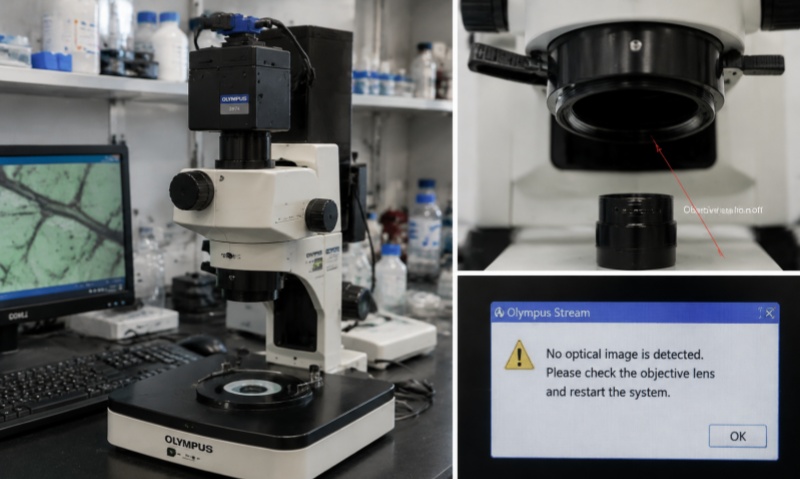
Video microscopy has become an indispensable tool in modern laboratories, allowing researchers to observe samples in real time, record high-resolution images, and analyze dynamic processes with precision. However, one common issue that can compromise both imaging quality and experimental outcomes is the detachment of slides, also known as sample slipping, from the microscope stage. Whether caused by improper mounting, vibration, or environmental factors, slide detachment can lead to blurred images, loss of focus, or even sample damage. Understanding the causes and implementing practical solutions is essential for ensuring consistent and reliable video microscopy results.
1. Understanding Slide Detachment
Slide detachment occurs when a glass or plastic sample slide moves unintentionally during observation. This movement can be subtle, causing slight shifts that distort images, or severe, causing the sample to slip completely off the stage. Detachment may occur with various types of microscopes, including inverted, upright, and specialized video microscopes. Factors influencing slide stability include the type of stage, the mounting medium, the slide’s surface texture, and external vibrations.
2. Proper Sample Preparation
The first step in preventing slide detachment is ensuring proper sample preparation. Slides should be clean, dry, and free of dust or residues that may reduce adhesion to the stage. For liquid or semi-liquid samples, using an appropriate mounting medium can help stabilize the specimen. Adhesive-coated slides, such as poly-L-lysine or silane-treated slides, are particularly effective for biological specimens, as they increase the adherence of cells, tissues, or microorganisms to the glass surface. For delicate samples, consider using coverslips that fit snugly, ensuring even contact without excessive air bubbles that could allow movement.
3. Optimizing Stage Selection and Setup
Many video microscopes are equipped with mechanical or motorized stages designed for stability and precision. Ensure the stage is clean and free of oil, dust, or debris, which can reduce friction and allow slides to shift. Adjustable stage clamps or slide holders are highly recommended, as they physically secure the slide in place. When using a stage without built-in clamps, consider third-party slide holders or adhesive tape designed for microscopy to minimize movement. Ensuring the stage is level and properly aligned with the microscope optics also helps prevent unintended sliding.
4. Environmental Factors and Vibration Control
External vibrations are a major contributor to slide detachment, particularly when capturing high-magnification images or time-lapse videos. Even minor movements from nearby equipment, foot traffic, or HVAC systems can destabilize slides. To mitigate this, place the microscope on a vibration-dampening table or anti-vibration platform. Avoid placing heavy equipment on the same surface, and minimize direct contact with the microscope during recording. In environments with high vibration exposure, specialized anti-vibration mats or isolation platforms can significantly improve sample stability.
5. Adjusting Mounting Medium and Coverslip Techniques
For biological or liquid samples, the choice and application of the mounting medium are critical. Use sufficient medium to fill the space between the slide and coverslip without creating excessive pressure that could push the sample out. Ensure the coverslip is properly seated and evenly distributed. For long-term observations or time-lapse imaging, consider mounting media with higher viscosity, which helps anchor the sample and reduces the risk of slide detachment. Avoid fast-drying or shrinkage-prone media unless the experimental design specifically allows for it.
6. Handling Techniques During Observation
Proper handling of slides is as important as preparation. When placing the slide on the microscope stage, do so gently and ensure that it sits flat against the stage surface. Avoid tilting or sliding the sample while adjusting the focus, as repeated lateral forces can gradually dislodge the slide. When capturing images or performing manipulations, minimize sudden stage movements, especially with high-magnification objectives where even small displacements can affect the field of view.
7. Using Adhesives and Temporary Fixatives
If persistent detachment occurs despite proper preparation, temporary adhesives or fixatives can provide additional stabilization. Small dots of laboratory-grade vacuum grease or double-sided adhesive tape applied to the corners of the slide can prevent lateral movement without affecting imaging. For delicate or sensitive samples, ensure the adhesive does not contact the area of interest. Alternatively, specialized slide clips or magnetic holders compatible with video microscope stages can secure slides mechanically without introducing chemicals.
8. Routine Maintenance and Inspection
Regular inspection and maintenance of both slides and microscope stages are critical. Check slides for cracks, chips, or warping, as damaged slides are more likely to slip. Clean the stage, clamps, and slide holders to remove residues that reduce friction. For motorized stages, ensure that the movement is smooth and calibrated; jerky or uneven motions can lead to sample displacement. Keep a log of slide stability issues and note any patterns related to particular sample types or environmental conditions.
9. Troubleshooting Persistent Detachment
When slide detachment continues to occur despite preventive measures, systematically troubleshoot the problem. Verify that the slide dimensions are compatible with the stage. Examine the mounting medium and coverslip for proper application. Test the microscope on different surfaces to rule out environmental vibration. For complex biological samples, consider alternative mounting strategies, such as embedding the specimen in agarose or using adhesive-coated slides specifically designed for live-cell imaging.
10. Summary of Best Practices
Preventing slide detachment in video microscopy requires attention to multiple factors, including sample preparation, stage setup, environmental control, and handling technique. Key recommendations include:
Use clean, dry slides and appropriate mounting media.
Employ adhesive-coated slides or coverslips for enhanced sample adhesion.
Secure slides with clamps, holders, or temporary adhesives when necessary.
Minimize environmental vibrations using anti-vibration tables or mats.
Handle slides gently and maintain proper stage alignment.
Regularly inspect and maintain microscope stages and slides.
Troubleshoot persistent detachment by reviewing sample type, medium, and stage compatibility.
By implementing these strategies, researchers can maintain stable, reliable imaging conditions, prevent sample loss, and achieve high-quality video microscopy results. Slide detachment, while common, is manageable with thoughtful preparation and careful handling, ensuring that experimental observations remain accurate and reproducible.