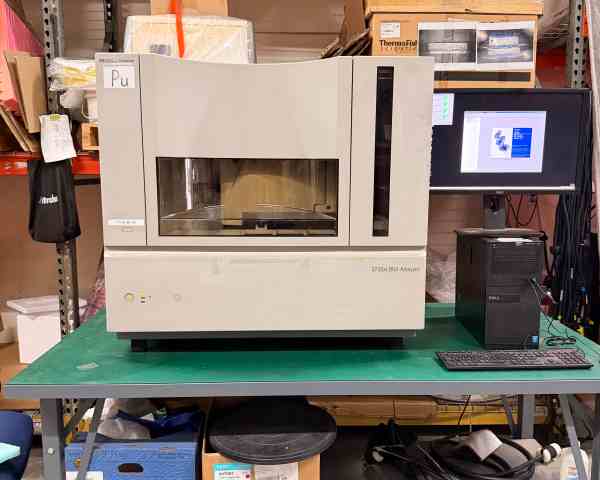
Gas chromatography (GC) analyzers are indispensable core equipment in analytical laboratories, widely used in fields such as chemistry, environmental monitoring, food safety, pharmaceuticals, and petrochemicals for the separation, identification, and quantitative analysis of complex mixtures. As precision instruments, GC analyzers may experience various malfunctions during long-term operation, such as unstable baseline, abnormal peaks, failure to ignite, or inaccurate detection results. Timely and scientific troubleshooting is crucial to minimize downtime, ensure experimental accuracy, and extend equipment service life. This article focuses on the key initial troubleshooting steps that should be taken first when GC analyzers malfunction, providing a systematic and practical guide for laboratory technicians and equipment operators, with a total length of approximately 1500 words.
When a GC analyzer malfunctions, blind disassembly or adjustment should be avoided, as this may lead to secondary damage to the equipment or inaccurate troubleshooting. The core principle of initial troubleshooting is "from simple to complex, from external to internal, from non-destructive to destructive", prioritizing the排查 of common, easy-to-resolve factors before moving on to complex internal component faults. The first step is to confirm the basic status of the equipment and collect key information, which lays the foundation for accurate fault location.
The first key troubleshooting step is to check the power supply and gas supply system, which are the basic guarantee for the normal operation of the GC analyzer. Many common malfunctions, such as failure to start, no carrier gas flow, or detector inactivity, are directly related to power or gas supply problems. First, check the power supply: confirm that the power cord is firmly connected to the socket, the power switch is turned on, and the power indicator light is on. If the equipment fails to start or the display is black, check the fuse, power socket, and power supply voltage to ensure the voltage is stable and within the range required by the equipment (usually 110V or 220V). If the fuse is blown, replace it with the same specification and check for potential short-circuit problems to avoid repeated burnout.
Next, check the gas supply system, which is critical for the separation and detection performance of the GC analyzer. GC analyzers typically require three types of gases: carrier gas (such as nitrogen, helium, or hydrogen), fuel gas (hydrogen), and oxidant gas (air). First, check the gas cylinders: confirm that the gas cylinders are open, the pressure gauge shows normal pressure (usually 0.4-0.6 MPa for carrier gas, 0.3-0.5 MPa for hydrogen and air), and there is sufficient gas in the cylinders. If the pressure is too low or there is no gas, replace the gas cylinder or refill it in a timely manner. Then, check the gas pipelines and connections for leaks: apply a soap solution to the pipeline joints, valves, and pressure regulators; if bubbles appear, it indicates a gas leak, which needs to be tightened or replaced with new seals to avoid gas leakage affecting the separation effect or causing safety hazards (especially for flammable hydrogen).
In addition, check the gas flow rate: use the flow meter on the GC analyzer to confirm that the carrier gas, fuel gas, and oxidant gas flow rates are set correctly and stable. Abnormal flow rates (too high, too low, or unstable) will lead to problems such as poor separation, abnormal peaks, or failure to ignite the detector. For example, insufficient carrier gas flow rate will cause peak broadening and poor separation, while excessive flow rate will reduce the residence time of the sample in the column and affect detection accuracy. If the flow rate is abnormal, check the pressure regulator, flow controller, and gas pipeline for blockages or malfunctions, and adjust or repair them accordingly.
The second key troubleshooting step is to check the instrument settings and operational parameters. Incorrect settings or parameter deviations are common causes of GC analyzer malfunctions, even for experienced operators. First, confirm the column parameters: check whether the chromatographic column is correctly installed, the column type (such as capillary column or packed column) matches the sample to be tested, and the column temperature program is set appropriately. The column temperature directly affects the separation efficiency; if the column temperature is too low, the sample components cannot be fully separated, resulting in overlapping peaks; if the column temperature is too high, the sample may decompose, leading to abnormal peaks or loss of components.
Next, check the injector settings: confirm the injection volume, injection temperature, and split ratio (for capillary columns) are set correctly. Incorrect injection volume will lead to overload or insufficient signal; too low injection temperature will cause incomplete vaporization of the sample, resulting in tailing peaks or split peaks; improper split ratio will affect the amount of sample entering the column and the separation effect. In addition, check the detector settings: for common detectors such as Flame Ionization Detector (FID), Electron Capture Detector (ECD), or Thermal Conductivity Detector (TCD), confirm that the detector temperature, sensitivity, and other parameters are set in accordance with the experimental requirements. For example, FID requires a detector temperature higher than the column temperature (usually 250-300℃) to avoid sample condensation, and the hydrogen-air ratio (usually 1:10) needs to be adjusted correctly to ensure stable ignition and normal detection.
It is also necessary to check whether the sample preparation and injection operation are standardized. Impure samples, contaminated injection syringes, or incorrect injection methods can all lead to abnormal detection results. For example, if the injection syringe is contaminated, it may cause cross-contamination between samples, resulting in false peaks; if the sample is not properly filtered or diluted, impurities may block the injector or chromatographic column, affecting the normal operation of the instrument. Therefore, when troubleshooting, it is necessary to confirm that the sample is prepared in accordance with the standard, the injection syringe is clean, and the injection operation is standardized (such as fast and accurate injection to avoid sample volatilization).
The third key troubleshooting step is to check the basic status of core components, including the injector, chromatographic column, and detector, without disassembling them. First, check the injector: observe whether there is contamination, blockage, or damage to the injection port liner. A contaminated or blocked liner will cause sample adsorption, decomposition, or uneven vaporization, leading to tailing peaks or reduced sensitivity. If there is visible contamination or carbon deposition, the liner should be replaced or cleaned in a timely manner. At the same time, check the injection needle for bending, damage, or blockage, and replace it if necessary.
Next, check the chromatographic column: observe whether the column is damaged, bent, or has excessive wear, and confirm that the column connections are firm and free of leaks. If the column is contaminated or aged, it will lead to poor separation, increased baseline noise, or peak distortion. For capillary columns, check whether the column inlet and outlet are cut flat and free of burrs, which may affect the gas flow and sample separation. If the column is suspected to be contaminated, it can be baked at an appropriate temperature (lower than the maximum temperature of the column) to remove impurities, but avoid over-baking to prevent column damage.
Then, check the detector: for FID, check whether the flame is stable (normal flame is blue and stable, without yellow fire or extinction), and whether the collector is clean. A dirty collector will reduce the detector sensitivity and cause unstable baseline; if the flame cannot be ignited, check the gas flow ratio, detector temperature, and ignition electrode. For ECD, check whether the radioactive source is intact and whether the detector cell is clean; for TCD, check whether the thermal wire is intact and whether the reference gas flow is stable. If the detector has obvious contamination or damage, it needs to be cleaned or maintained by professional technicians.
The fourth key troubleshooting step is to check the instrument’s software and control system. With the popularization of intelligent GC analyzers, software failures or program errors are also common causes of malfunctions. First, check whether the instrument’s control software is running normally, whether there is a program crash or error prompt, and restart the software or the entire instrument if necessary. Then, check whether the instrument’s self-test function is normal: most GC analyzers have a self-test function that can automatically detect the status of key components (such as sensors, valves, and flow controllers); if the self-test fails, record the error code and refer to the instrument manual to locate the fault.
In addition, check whether the data acquisition system is working normally, such as whether the chromatogram can be collected normally, whether the peak integration is accurate, and whether the data can be saved and exported. If the data acquisition is abnormal, check the connection between the instrument and the computer, the data acquisition card, and the software settings. Sometimes, re-installing the control software or updating the firmware can solve software-related malfunctions.
It should be emphasized that during the initial troubleshooting process, safety must be prioritized. Before checking the gas supply system, ensure that the gas cylinders are properly fixed and the valves are operated correctly to avoid gas leakage and fire hazards. When checking the detector or electrical components, turn off the power and wait for the instrument to cool down to avoid high-temperature scalds or electric shocks. For malfunctions that cannot be resolved through initial troubleshooting, such as internal component damage, circuit board faults, or complex system failures, do not disassemble the instrument at will; instead, contact professional after-sales personnel or the equipment manufacturer for maintenance.
In conclusion, when a gas chromatography analyzer malfunctions, the initial troubleshooting should focus on four key steps: checking the power supply and gas supply system, confirming the instrument settings and operational parameters, inspecting the basic status of core components, and checking the software and control system. By following the principle of "from simple to complex, from external to internal", most common malfunctions can be quickly located and resolved, minimizing the impact on experimental work. At the same time, strengthening daily maintenance and standardized operation of the instrument can reduce the occurrence of malfunctions, ensure the stable operation of the GC analyzer, and provide reliable support for accurate analytical testing.