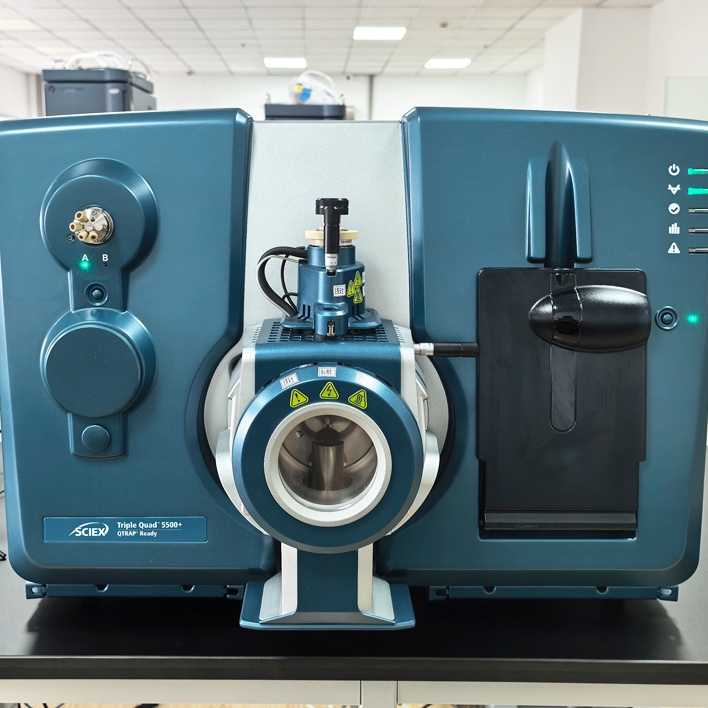
A biochemical incubator is a core constant-temperature experimental equipment widely used in biological laboratories, microbial cultivation, environmental monitoring, medical research and agricultural testing, providing stable temperature, humidity and sterile environment for sample cultivation. Once the incubator fails to cool normally, it will directly damage experimental samples, delay test progress and even cause permanent damage to internal components. This professional guide systematically summarizes common causes, step-by-step troubleshooting methods, emergency treatment and routine maintenance tips for non-cooling failures of biochemical incubators, with a total length controlled at about 1000 words, suitable for laboratory technicians and equipment maintenance personnel to operate and refer to.
First of all, before conducting any fault inspection, operators must prioritize personal safety and equipment protection. Disconnect the main power supply of the biochemical incubator immediately, wait for 10 to 15 minutes to release internal voltage and avoid electric shock or compressor burnout caused by live maintenance. Do not disassemble the refrigeration system, control panel and internal lines without professional training, which is the top safety rule to avoid expanding the fault scope. Simple external inspection can be carried out first, which is the most direct and efficient primary troubleshooting step for most non-cooling faults.
The first common cause of non-cooling is poor ventilation and heat dissipation, which accounts for more than 60% of routine failures. Biochemical incubators rely on external condensers to dissipate heat, and long-term use will lead to dust, cotton wool and debris blocking condenser fins, resulting in poor heat exchange and failure of refrigeration operation. Check the surrounding space of the incubator first: it should be kept at least 30 cm away from walls, other equipment and heat sources, with no obstructions around the air inlet and outlet. Use clean compressed air or a soft brush to carefully remove dust from condenser fins, and clean the ventilation filter regularly. After cleaning, restart the equipment, and most minor refrigeration faults can be repaired immediately.
The second major cause is abnormal power supply and parameter setting errors. Check whether the power cord is firmly connected, whether the socket has stable voltage, and whether the power indicator light is on normally. Unstable voltage, loose plug or sudden power failure will trigger the incubator's overheat protection function, locking the refrigeration mode. Next, check the temperature control panel: confirm that the set temperature is lower than the indoor ambient temperature, the refrigeration switch is turned on, and there is no misoperation into constant temperature or heating mode. Some models have a child lock or fault self-locking function, which needs to be reset and restarted to restore normal refrigeration operation.
Severe internal component faults lead to complete non-cooling, requiring professional maintenance. If the above operations cannot solve the problem, the fault may be damaged compressor, refrigerant leakage, faulty temperature sensor or damaged temperature control board. Check whether the compressor runs with abnormal noise or does not start at all; long-term overload use, aging lines and refrigerant loss are the main causes of compressor failure. Damaged temperature sensors cannot transmit real-time temperature signals, making the control system unable to start the refrigeration module. In this case, stop using the equipment immediately, do not force startup, and contact professional after-sales maintenance personnel for component replacement, refrigerant supplementation and system debugging.
To avoid repeated non-cooling failures, daily routine maintenance is extremely critical. Clean the ventilation filter and condenser every month, avoid placing the incubator in direct sunlight or near high-temperature equipment, use stable regulated power supply to prevent voltage fluctuations, and do not overload the incubator with too many samples to block internal air circulation. Wipe the inner cavity regularly, keep the door seal tight, and avoid long-term opening of the incubator door to reduce refrigeration load. Establish equipment maintenance records, conduct regular sensor calibration, and detect hidden faults in advance to ensure long-term stable operation of the equipment.
In conclusion, non-cooling faults of biochemical incubators are mostly caused by improper daily use and heat dissipation blockage, which can be solved quickly through standardized step-by-step inspection. Only serious internal component damage needs professional maintenance. Standardized operation, regular cleaning and reasonable placement can effectively reduce the probability of refrigeration failures, protect experimental samples, prolong the service life of the incubator, and ensure the continuity and accuracy of laboratory experiments. Proper fault handling and daily maintenance are the key to keeping the biochemical incubator in efficient working condition for a long time.