
Consultation Hotline
+1 (302) 618-8777
+1 (302) 618-8777
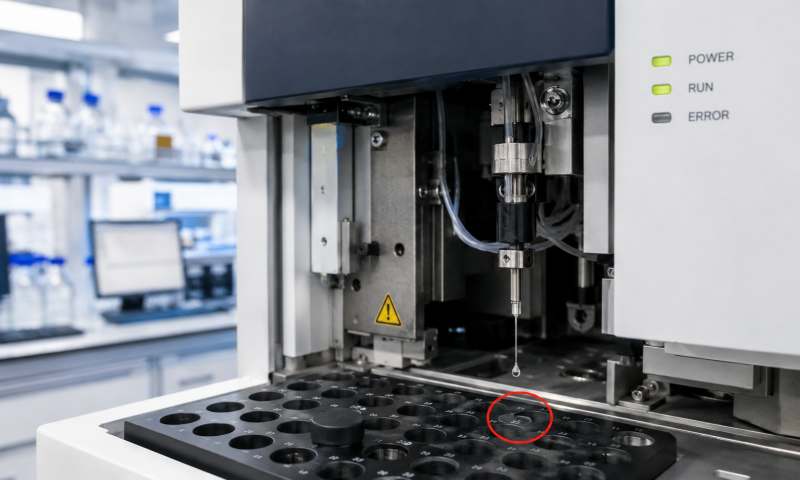
A precision electronic balance is one of the most critical instruments in laboratories, widely used in pharmaceutical analysis, chemical research, food testing, and industrial quality control. External calibration (external adjustment using standard weights) ensures measurement accuracy and traceability. When a precision electronic balance fails to perform external calibration, it can directly affect data reliability and workflow continuity. Understanding the causes and proper troubleshooting methods is essential for maintaining instrument performance.
One of the most common reasons for calibration failure is unstable environmental conditions. Precision balances are highly sensitive to external influences.
First, verify that the balance is placed on a stable, vibration-free surface. Even slight vibration from nearby equipment, air conditioning systems, or foot traffic can interfere with calibration.
Second, check airflow. Air drafts from ventilation systems or open windows can cause instability in the weighing chamber. The balance should always be used with the draft shield closed.
Third, confirm temperature stability. Sudden temperature changes or operating the balance in an environment outside the recommended range can lead to calibration errors or failure. Ideally, the laboratory temperature should remain constant within ±2°C.
Humidity should also be controlled, as excessive moisture can affect internal electronics and weighing sensors.
An unstable or insufficient power supply may prevent the balance from entering calibration mode. Ensure the power adapter is properly connected and providing the correct voltage.
Many precision balances require a warm-up period (typically 30–60 minutes) before calibration. If calibration is attempted too early, the internal load cell may not be thermally stable, resulting in failure. Always allow sufficient warm-up time before initiating external calibration.
External calibration depends on the use of certified standard weights. If the weights are incorrect, contaminated, or damaged, the calibration process may fail.
Check the following:
Ensure calibration weights match the required class (e.g., Class E2 or F1)
Verify that weights are clean and free of dust, oil, or fingerprints
Confirm that the correct calibration value is selected in the balance settings
Even slight deviations in weight accuracy can cause calibration errors or rejection by the system.
Mechanical problems inside the balance can also lead to calibration failure.
Common issues include:
Overloaded weighing pan causing sensor strain
Foreign objects inside the weighing chamber
Damaged or misaligned weighing pan
Internal mechanical obstruction
Remove any load from the balance and clean the weighing chamber carefully. Ensure that the pan is correctly installed and moves freely without resistance.
Many modern electronic balances include self-diagnostic functions. Run the internal system check or error diagnosis mode if available.
If the display shows error codes, refer to the user manual to identify the specific fault. Common error types include sensor instability, overload conditions, or internal memory errors.
Resetting the balance to factory settings may resolve software-related calibration issues, but this should be done carefully as it may erase stored calibration data.
Some balances require correct configuration before external calibration can be performed. Ensure that:
External calibration mode is enabled (not internal calibration mode)
The correct calibration procedure is selected in the menu
The instrument is not locked in a protected or service mode
If the balance is configured for automatic internal calibration only, external calibration may be disabled by default.
If all environmental, operational, and procedural checks are normal but calibration still fails, the issue may be related to the load cell or internal sensor system.
Signs of sensor failure include:
Unstable readings even when unloaded
Repeated calibration errors
Sudden drift in weight values
In this case, professional servicing or replacement of the load cell may be required. This type of repair should only be performed by qualified technicians.
Occasionally, firmware glitches can affect calibration functions. Restart the instrument and check for available firmware updates from the manufacturer. Updating or reinstalling system software may resolve hidden bugs affecting calibration routines.
To prevent future calibration issues:
Calibrate regularly using certified weights
Keep the balance clean and protected from dust
Avoid overloading the instrument
Allow proper warm-up before use
Perform routine verification checks
When a precision electronic balance cannot perform external calibration, the issue is usually caused by environmental instability, incorrect operation, calibration weight problems, or mechanical and sensor-related faults. A systematic troubleshooting approach—starting from external conditions and moving toward internal diagnostics—can effectively identify and resolve most problems. If all basic checks fail, professional technical service is recommended to ensure accurate and reliable long-term performance of the instrument.